Audiobook production, finally simplified
A browser-based platform that brings narrators, reviewers, and studios into one place — from manuscript to master.
A browser-based audiobook production platform
Punch Track is an audiobook recording and production platform that runs entirely in your browser. It combines punch-and-roll recording, an integrated manuscript viewer, collaborative review with pick-up markers, and chapter-level project management into a single application. It is purpose-built for audiobook narrators and the studios that manage them.
Making an audiobook today means juggling a DAW, a PDF reader, a file-sharing service, and a spreadsheet to track it all. You wrestle with tools built for music producers. Your studio chases corrections through email threads. Everyone loses time to logistics.
Punch Track consolidates that entire process. Record with built-in punch-and-roll. Follow your script without switching windows. Get targeted feedback with pick-up markers instead of vague notes. Track every chapter’s status without opening a spreadsheet.
Audio is recorded in FLAC at 44.1 kHz or 48 kHz and stored in encrypted cloud storage. Finished chapters can be exported as MP3, WAV, or FLAC to match publisher delivery requirements. There is nothing to download or install.
100%
browser-based
< 2 min
to get started
Free
while in beta
From PDF to recording-ready in minutes
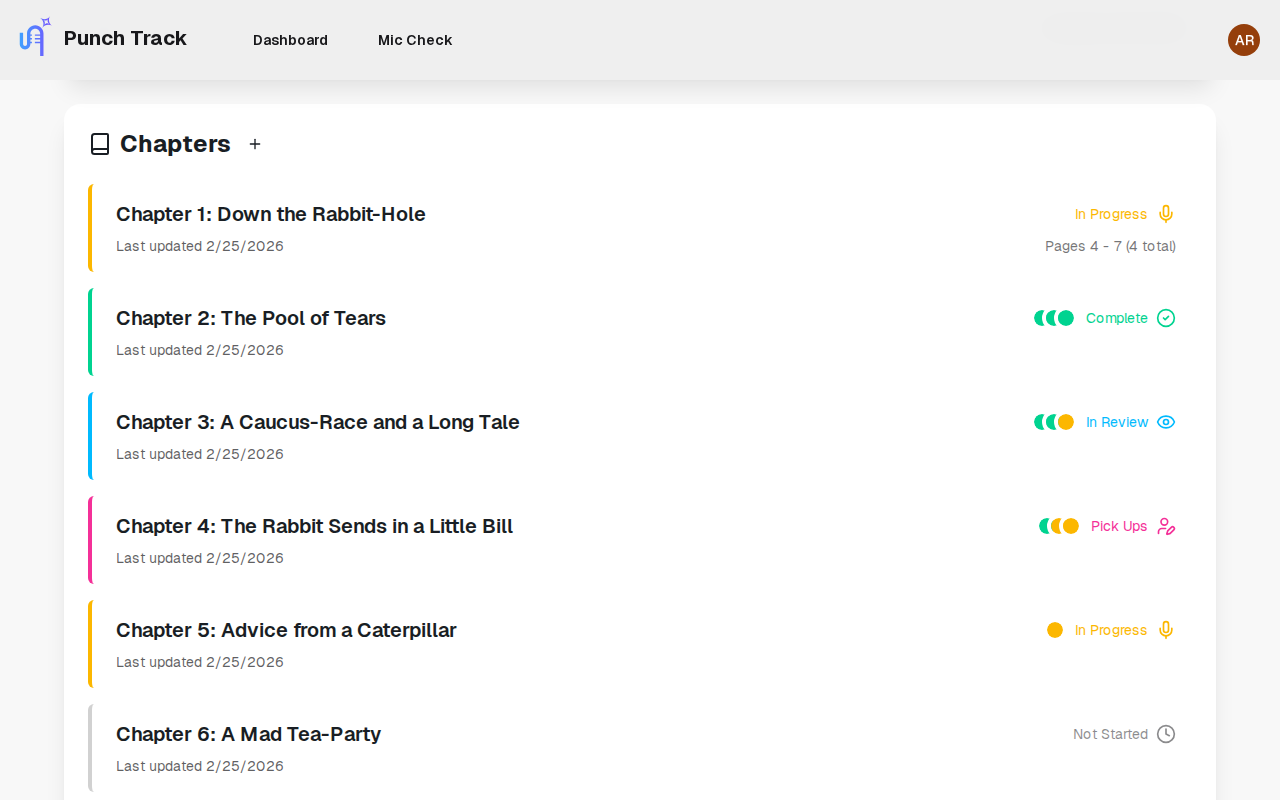
Drop in your manuscript and Punch Track builds the chapter list automatically. Set your audio requirements upfront — sample rate, format, loudness target — and they apply to every recording in the project. Your dashboard surfaces each chapter’s current stage so you never have to ask “where are we on this?”
- Chapter extraction from a single PDF upload
- Audio standards per project, enforced from day one
- Color-coded statuses visible to your whole team
- Real-time progress that updates as work happens
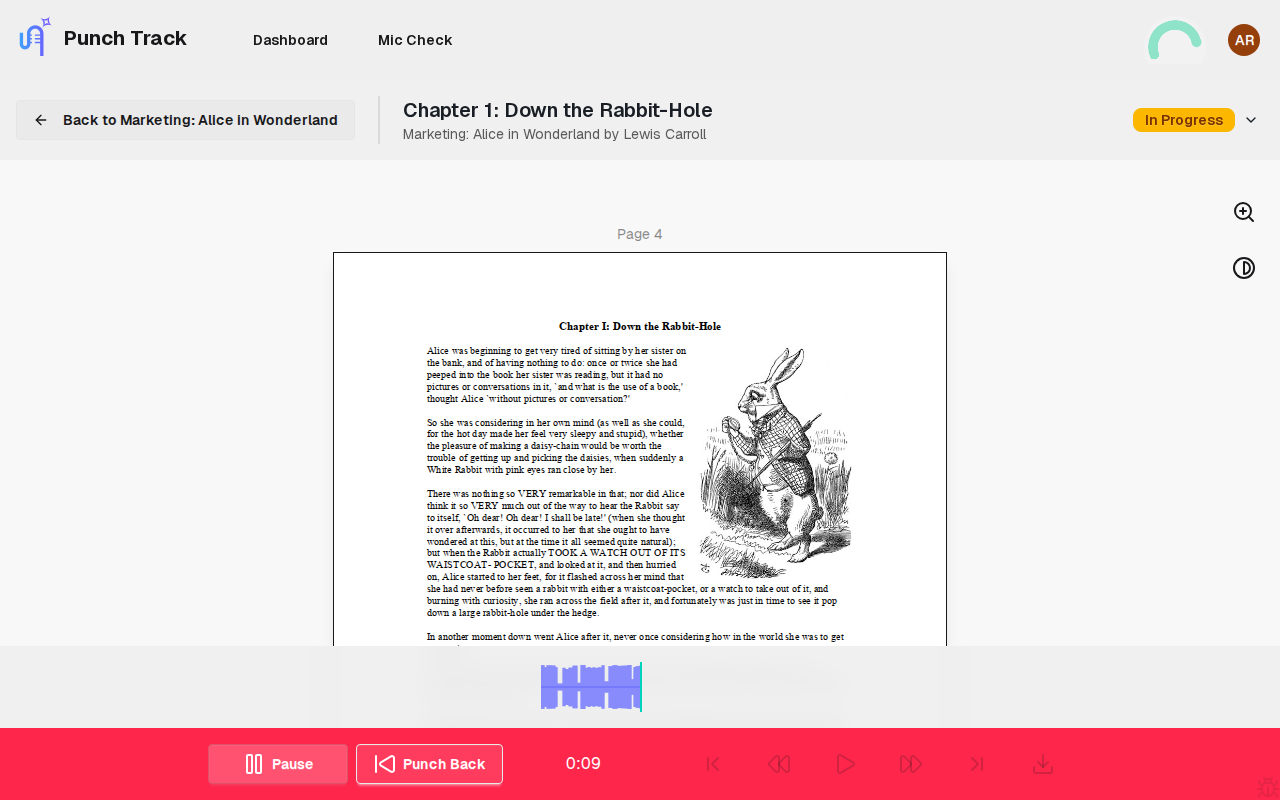
Script, waveform, and controls in one view
Your manuscript sits beside the waveform so you never lose your place. A level-check tool confirms your input is right before you start. Stumble on a word? Tap a single key to roll back, hear your last clean phrase, and pick up seamlessly — the edit point blends itself.
- Built-in manuscript viewer with zoom and color inversion
- Level check to validate your input before every session
- One-key punch-back with adjustable duration
- Automatic crossfade that makes edits inaudible
- Keyboard-driven controls for single-handed operation
Targeted corrections, not email guesswork
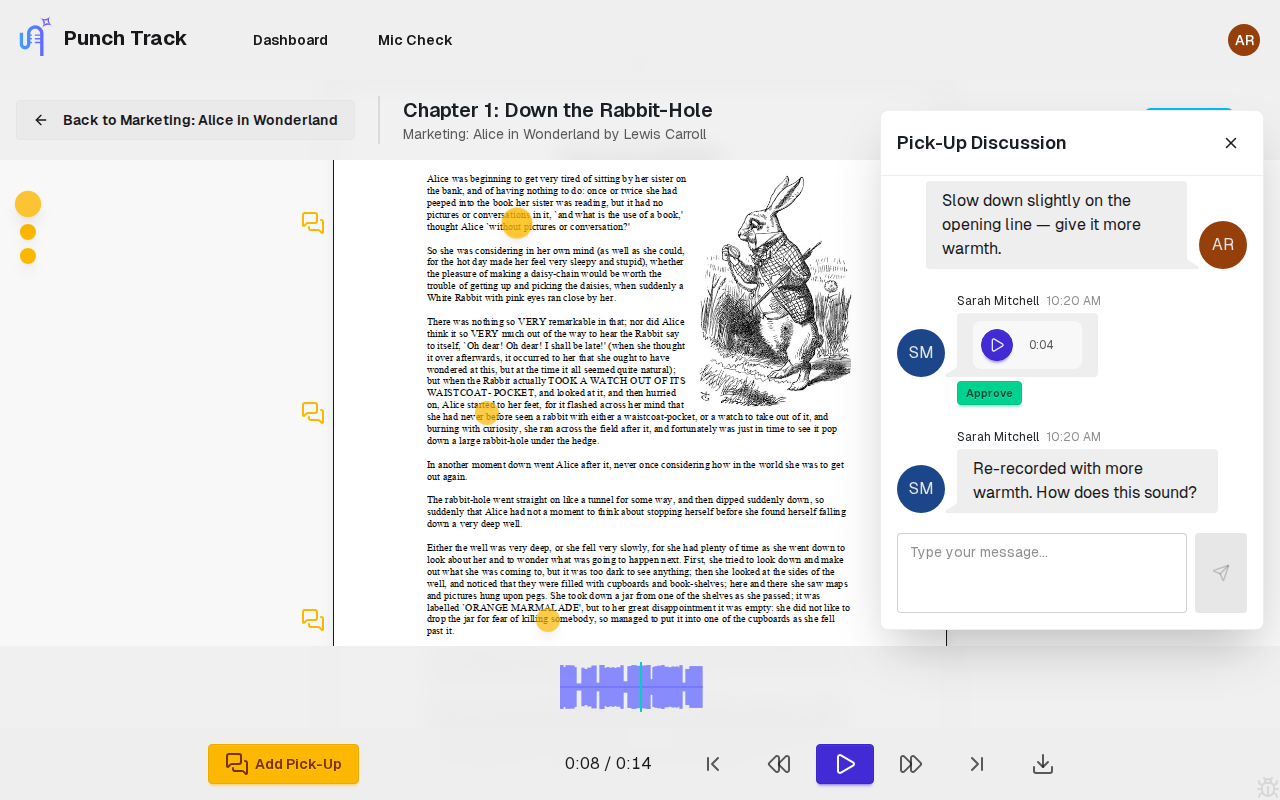
Invite your team by email and assign narrator or reviewer roles — each person sees only what they need. When something needs fixing, your reviewer places a marker at the exact spot and starts a threaded conversation. You address each correction individually and move on. Automated emails keep everyone informed as statuses change.
- Role-based access for narrators and reviewers
- Pick-up markers pinned to exact timestamps
- Threaded conversations on every correction
- Automated emails for submissions, approvals, and pick-ups
See for yourself — no cost, no setup
Open Punch Track in your browser, create a project, and start recording or reviewing within minutes.
Start RecordingFour stages from manuscript to finished audio
Set up the project
Upload your manuscript. Punch Track builds the chapter list and applies your audio settings.
Record chapters
Read alongside your script. Punch back over any mistakes. Clips save automatically.
Review and correct
Place pick-up markers where something needs fixing. Re-record just those sections.
Approve and deliver
Download approved chapters as MP3, WAV, or FLAC in your required format.
Tailored for how you work, whether you record or review
Frequently asked questions
Punch Track is a browser-based audiobook production platform that combines punch-and-roll recording, an integrated manuscript viewer, collaborative review with pick-up markers, and project management in a single application. It is purpose-built for audiobook narrators and the studios that manage them.
Punch Track serves two audiences: audiobook narrators who need a streamlined recording environment, and studios or publishers who manage multiple narrators and projects. Narrators get punch-and-roll recording with a built-in script viewer. Studios get project dashboards, team management, and a pick-up correction workflow.
Traditional DAWs like Pro Tools, Audacity, and REAPER are general-purpose audio editors designed for music production. Punch Track is purpose-built for spoken-word narration. It includes only the features narrators actually need — punch-and-roll, a manuscript viewer, level checking, and collaborative review — without the complexity of a full DAW.
No. Punch Track runs entirely in your browser. There is nothing to download, install, or configure. You need a modern browser (Chrome, Firefox, Edge, or Safari) and a microphone.
Punch-and-roll is a recording technique used in audiobook narration where you roll back a few seconds over a mistake, listen to your last clean phrase for context, and then punch in to re-record from that point. Punch Track automates the crossfade at the edit point so the join is inaudible.
Punch Track records in FLAC for lossless quality during sessions. Finished chapters can be exported as MP3, WAV, or FLAC at either 44.1 kHz or 48 kHz sample rate, matching your publisher’s delivery requirements.
Once a narrator submits a chapter, a reviewer listens and places pick-up markers at specific timestamps where corrections are needed. Each marker has a threaded conversation for discussion. The narrator sees all pick-ups on their waveform and resolves them one by one.
Punch Track is currently in beta and free to use. Pricing will be announced before the full launch in 2026.
Yes. All audio is uploaded to encrypted cloud storage. Only team members with access to the project can listen to or download recordings.
Ready to bring your team together?
Recording, review, and project tracking in one place. Get started in minutes.
Start Recordingor join our mailing list for updates